
Understand · Free and premium
Read macros, micronutrients, and your food diary
Understand what each main nutrition tab shows and move from daily totals to individual foods.
About 4 minutes4 stepsReviewed for v1.11.0
Before you start
Where to find it
Macros, Micros, or Food tabs
Have ready
- One or more logged foods
Step by step
Walkthrough
- 01
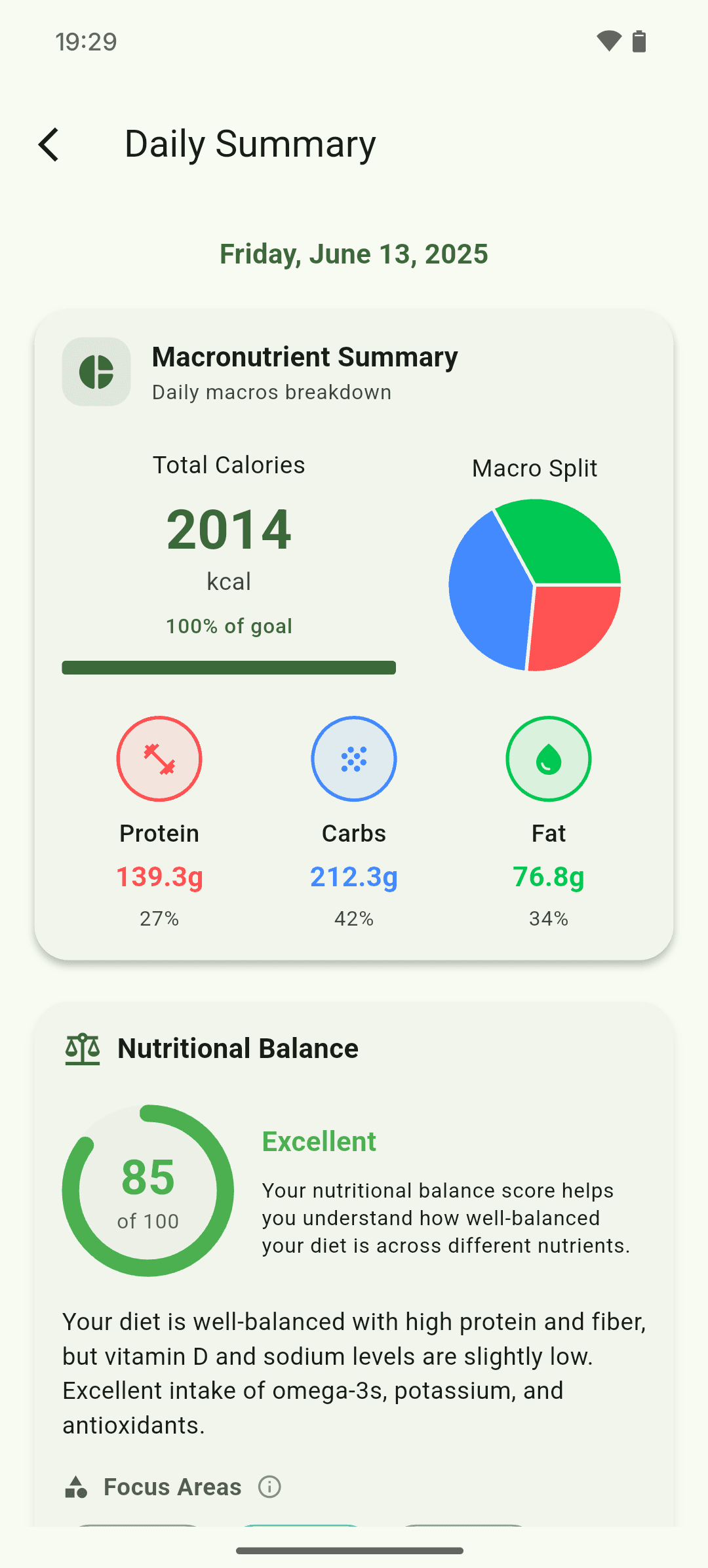
Start with Macros
Review calories, protein, carbohydrates, fat, fiber, sugar, and water for the selected day.
- 02
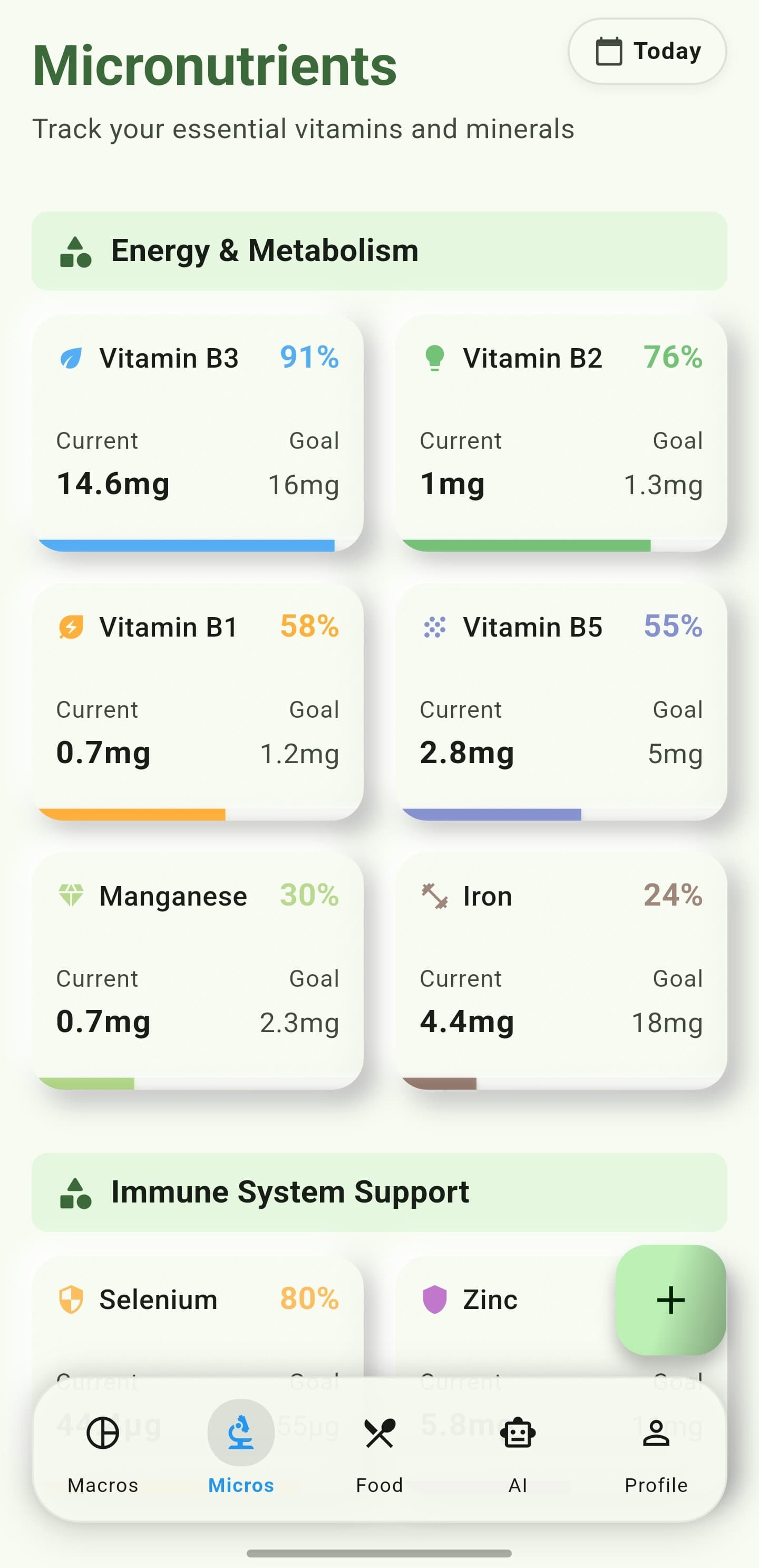
Open Micros
Scan vitamin, mineral, amino-acid, and fatty-acid progress. Tap a nutrient for detail and food sources.
- 03
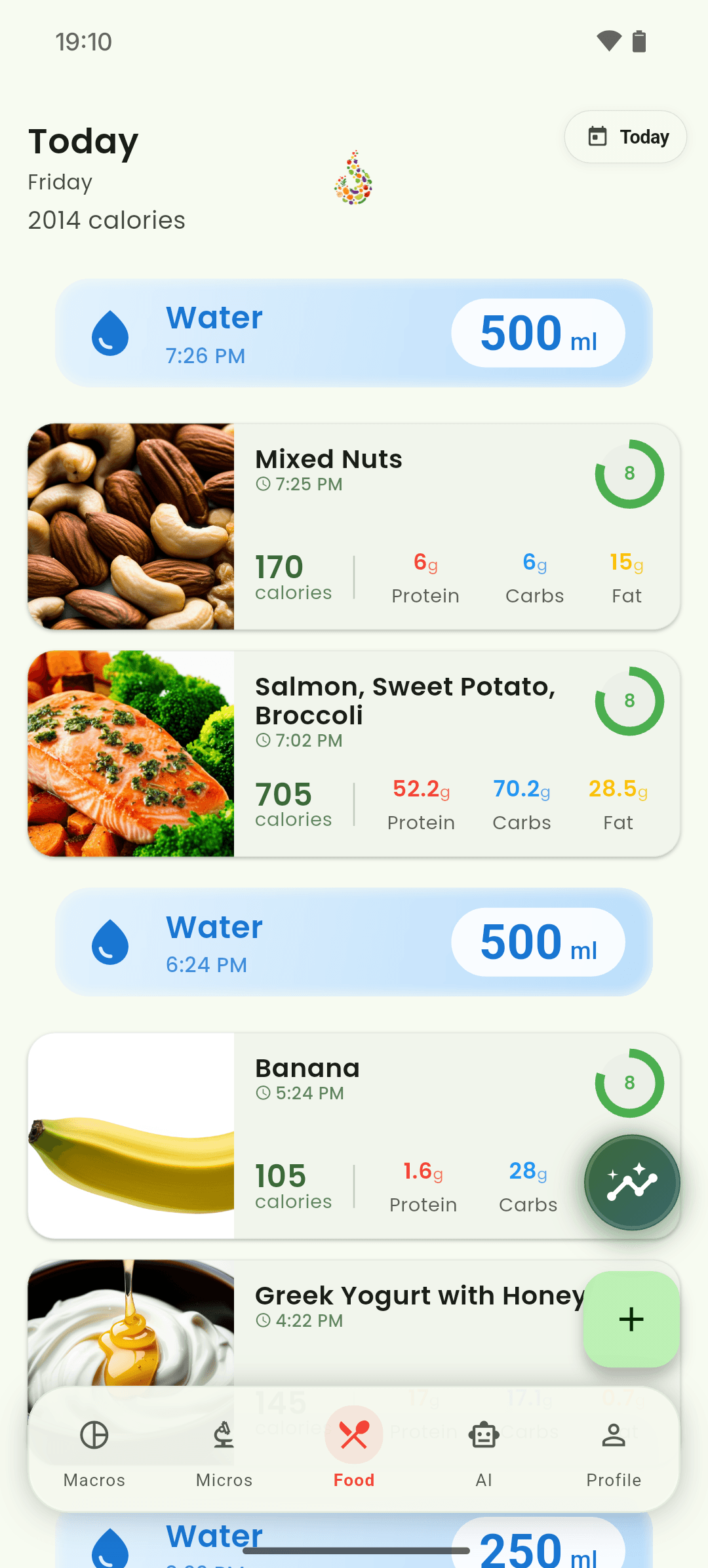
Use Food for context
Read the diary by meal and time to see which entries contributed to the totals.
- 04
Open a food detail
Tap an entry to review serving evidence, ingredients, and its nutrient contribution.
What you will see
These screens show the current app layout. Platform-specific labels and controls are noted below.
iOS and Android
iOS
- Nutrient completeness depends on the source data available for each food.
Android
- Nutrient completeness depends on the source data available for each food.
If something looks wrong
- A missing nutrient does not always mean the food contains none; its database record may be incomplete.
- Correct servings before interpreting daily progress.
Keep learning
Still need a hand?
Tell us which step you reached and what you expected to happen. We will help you find the next move.
Contact support