
Plan · Free and premium
Create, import, save, and cook recipes
Use Recipe Studio and Explorer, import a web recipe, create one from a dish photo, and follow Cooking Mode.
Before you start
AI → Recipe Studio or Profile → Saved Recipes
Have ready
- Internet access for generation or import
Step by step
Walkthrough
- 01
Choose a recipe source
Generate from preferences, browse Explorer, import a supported web URL, photograph a dish, or create a recipe manually.
- 02
Review the recipe
Check servings, ingredients, amounts, steps, equipment, and estimated nutrition.
- 03
Save or customize
Save the recipe for later and adjust servings or editable details when needed.
- 04
Use Cooking Mode
Open Cooking Mode for step-by-step instructions, timers, and screen-awake support.
- 05
Log or share
Add the serving you ate to the food log or share the recipe using the available share action.
What you will see
These screens show the current app layout. Platform-specific labels and controls are noted below.
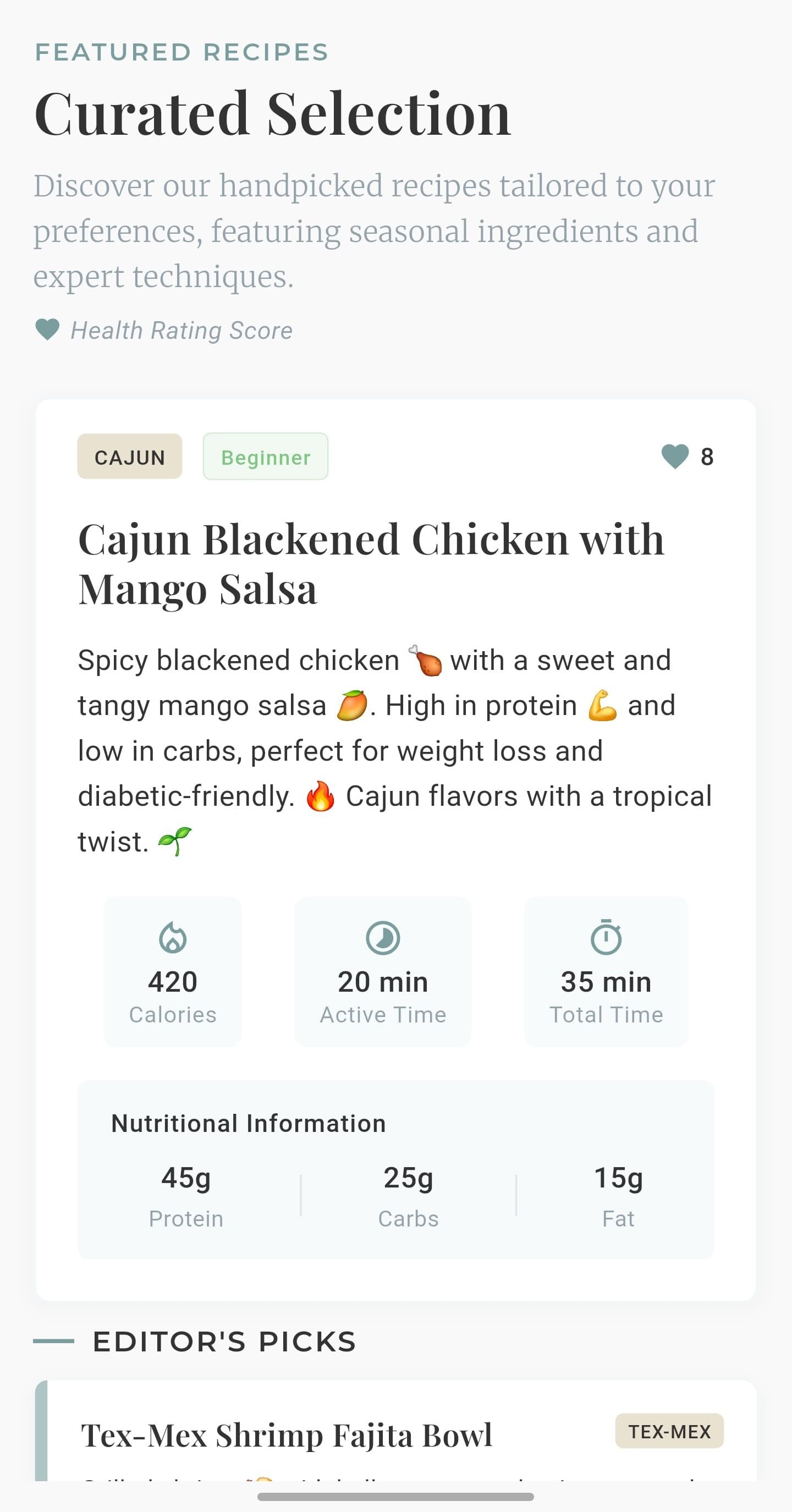
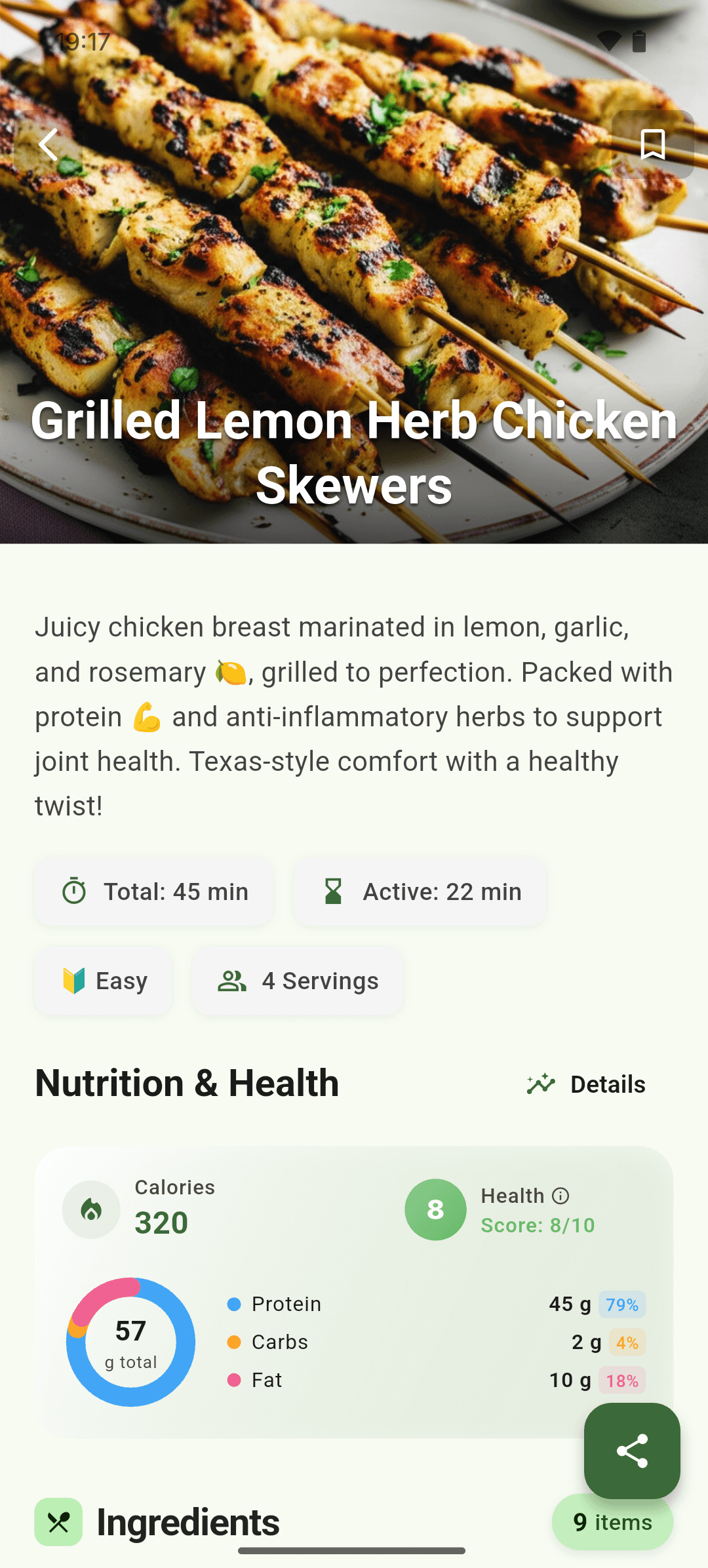
iOS and Android
iOS
- Imported pages vary; always review ingredients and quantities after parsing.
Android
- Imported pages vary; always review ingredients and quantities after parsing.
If something looks wrong
- If a URL cannot be imported, enter the recipe manually.
- Photo-derived recipes are reconstructions, so confirm every ingredient and step.
Keep learning
Still need a hand?
Tell us which step you reached and what you expected to happen. We will help you find the next move.
Contact support